Blog Post: Our Konsei Culture of Diversity and Inclusion
 At Hitachi Solutions
Empowering customers through Microsoft solutions and services.
Unifiy your entire analytics estate on a single, AI-powered platform.
Learn how
The launch of Generative AI marks a transformational moment for our society, businesses, and the way we work. Have you started?
Learn more
Unify your data on a single platform and unlock insights.
Learn More
Connecting business value to technology through human-centered experience, digital strategy, training & adoption, and organizational readiness.
Learn moreUnlock your potential and accelerate productivity with built-in AI
View Details
There are thousands of Microsoft partners around the globe, but few have the in-depth understanding of industry challenges and outcomes. Hitachi Solutions does – learn more about how we can support you business and data modernization goals now and into the future.

of CEOs are investing more in digital technology to combat economic pressures like inflation, talent scarcity, and supply constraints

of data and analytics leaders reported that their team is effective at providing value to the organization

of executives said that their organization is in investigation and exploration mode with generative AI

Hitachi Solutions is a global cloud-services, systems integrator. We are a 100% Microsoft platform focused organization. Our people are experienced, skilled, and knowledgeable professionals who have internalized the digital mindset, methodologies, and tools and bring them to every engagement. Collectively they’ve helped us earn all six cloud solution designations, many specializations, and year-over-year awards.
Attainment of any of the available six Microsoft Solution Designations helps a customer understand a partner’s capabilities better and supports easier identification of the partners best suited for their business.
Read about our strengths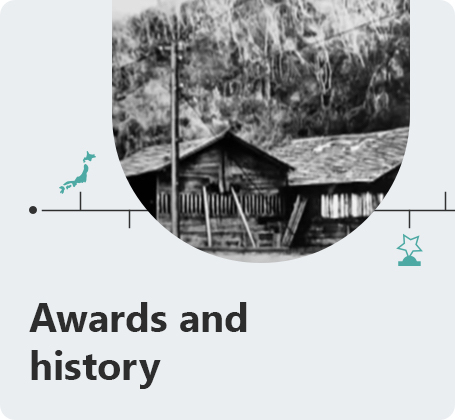
Our legacy is rich in both our heritage, and in our in our own growth as Hitachi Solutions. It all started in a copper mine, just under 100 miles northeast of Tokyo…
View our awards and historyBlog Post: Our Konsei Culture of Diversity and Inclusion
At Hitachi Solutions Blog Post: To Serve Clients the Right Way, Ethics and Compliance are Key
At Hitachi Solutions Blog Post: The Anatomy of a Microsoft Partner
At Hitachi Solutions Blog Post: Corporate Values in Action
At Hitachi Solutions Discover more about our company, our solutions, and our services.
Learn more